PRIVACY
Your data stays on your computer
Personal and confidential data remain local: Studio stores and processes models on your computer.

Create, edit, and export organizational structures, business hierarchies, product catalogs, taxonomies, directories, learning models, and knowledge trees in the open ORGF format.
STUDIO FEATURES
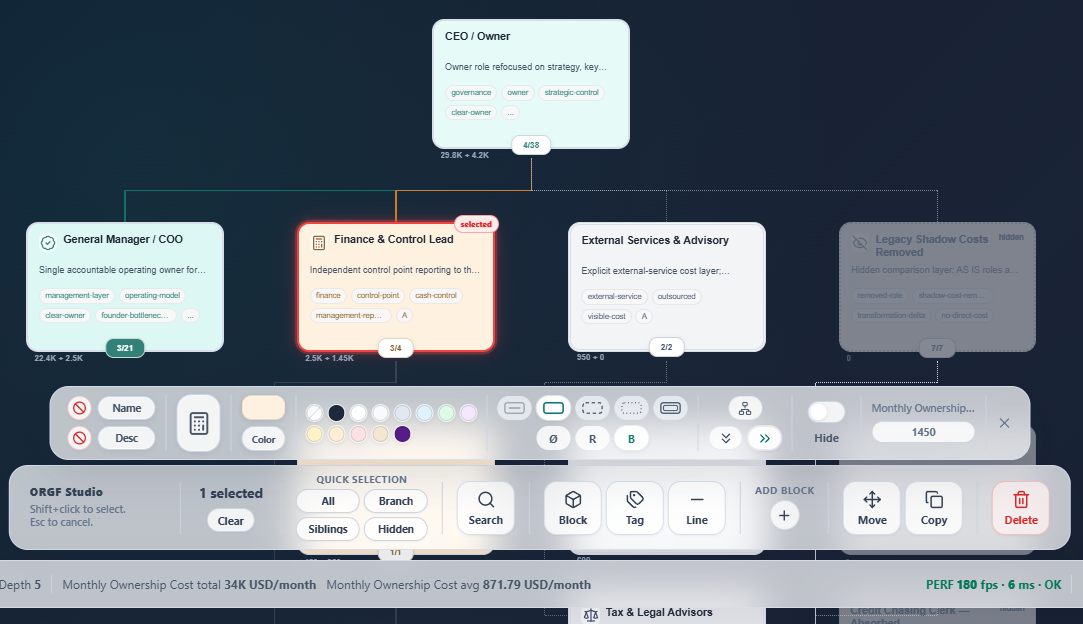
Studio keeps the focus on the model itself: its data, structure, navigation, and the exports you need to share the result.
PRIVACY
Personal and confidential data remain local: Studio stores and processes models on your computer.
DATA TO DIAGRAM
Do not spend time drawing connectors or shaping cards. Work with the data, while Studio turns it into a diagram.
MOVE AND COPY
Manage cards individually or in groups, including drag and drop.
TAGS
Define distinguishing qualities for cards and, when integrations need it, represent complex database-style attributes.
VALUE
Assign a value to every card. Studio calculates the model-wide total automatically.
EXPORT
Export to SVG, CSV, interactive HTML, and open ORGF. Set the language of exported model interfaces and more.
CURRENT TECHNICAL LIMITS
ORGF itself does not limit model size. Studio currently applies the following limits while importing a model.
Data beyond these import limits is not read by Studio, but the original ORGF file remains unchanged.